The parcel log book, off the desk.
Every delivery to the building goes through one counter and gets written on one line. The Parcel keeps that line — and finds it again in a second, with a queue of residents waiting.
Every delivery to the building goes through one counter and gets written on one line. The Parcel keeps that line — and finds it again in a second, with a queue of residents waiting.
The cost is all at pickup, with someone standing in front of you.
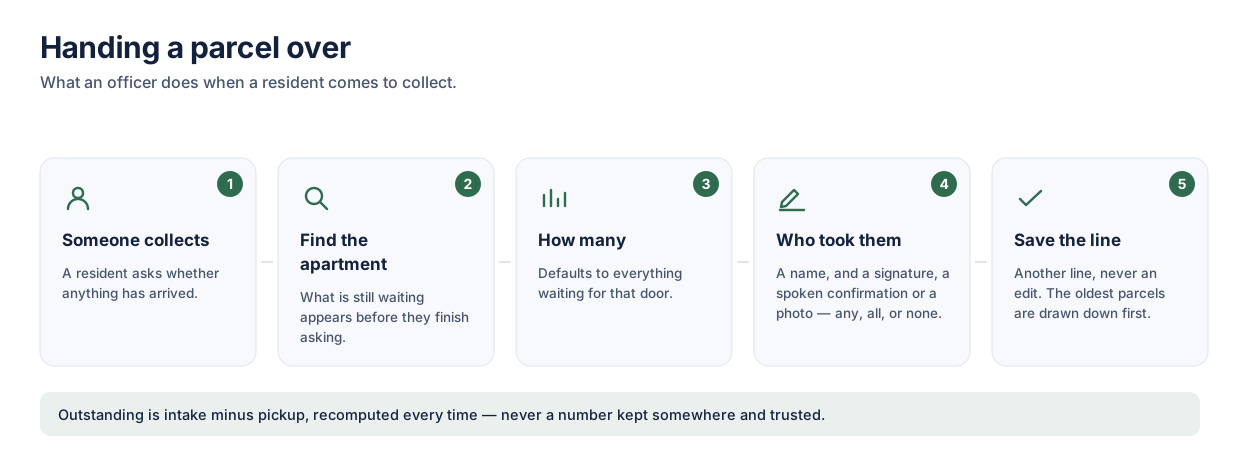
A resident asks whether anything arrived. The officer turns pages looking for an apartment number that may have been written three different ways, while the next person waits.
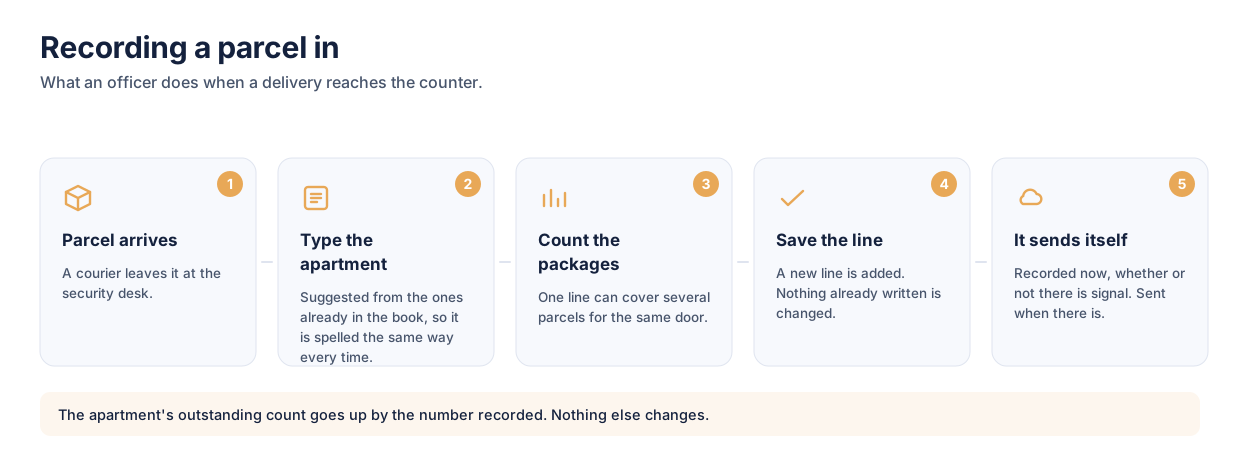
The apartment is suggested from the ones already in the book, so it is spelled the same way every time. How many packages are outstanding is on screen before the resident has finished asking.
Still on paper? Take the free log sheet template — the same layout, printable, in A4 and US Letter.
Every decision here came from the same place: one hand is holding a parcel, and the person in front of you is waiting.
The book lives on the device. A basement mail room with no bars records intake and pickup exactly as normal, and catches up when it can.
Intake and pickup are both append-only. A mistake is corrected by recording the correction, so the book still shows what was written and who changed it.
Only officers use the app. A line carries an apartment number, not a person — nothing about a resident is stored, so nothing about them can leak.
Optional at pickup, captured on the screen, and kept with the line. It works offline like everything else.
Adding an officer is a QR code, eight characters read aloud, or a link. One invite, single use, expiring after four hours.
Per device, not per building — two officers sharing one book can each read it in their own language. Exported reports follow suit.
Export an apartment's whole history as a PDF — every intake, every pickup, and the running balance between them. The whole chain of custody for a package, on one page, timed on the desk's own clock rather than on whoever happens to be printing it.
| When | What | Qty | Balance |
|---|---|---|---|
| 05/08 09:14 | Intake | +3 | 3 |
| 06/08 18:02 | Pickup · signed | −2 | 1 |
| 07/08 11:40 | Intake · struck out | +1 | 1 |
| 08/08 20:55 | Intake | +2 | 3 |
A struck-out line is still printed. It is part of what happened, and a record that quietly loses its corrections is not evidence of anything.
Anywhere every delivery to the building passes one counter, and somebody has to be able to say later what arrived and who took it.
One security desk, several hundred apartments, and a courier at the door most of the day. The book is the only record that a parcel was ever in the building.
Fifty packages on a weekday, handed back across a counter over the following week. What is outstanding for an apartment matters more than what arrived this morning.
Front desks with shift handovers and staff who change, where the record has to survive the person who wrote it and read the same to whoever comes next.
Yes. The log book is held on the device, so intake and pickup are recorded at full speed in a basement mail room with no signal. It syncs when there is a connection again, and nothing waits on the network to be written.
No. Only officers use the app. A line records an apartment number and, if you want it, the name of whoever collected — there are no resident accounts to create and nothing about a resident is stored.
With one invite: eight characters that work as a QR code, as something read aloud, or as a link. Single use, expiring after four hours, and access can be revoked afterwards.
No, and that is the point. A line entered by mistake is struck out rather than removed, and a wrong apartment or count is corrected on the line itself. A record that quietly loses its corrections is not evidence of anything.
Any apartment's whole history exports as a PDF — every intake, every pickup, the running balance, and any signature that was taken — timed on the building's own clock rather than on whichever device printed it.
Yes. Parcel and package are one job under two names, and which you say mostly depends on where you are — this is a package log book if that is your word for it. Same line, same count, same signature at the counter.
iPhone and iPad, Android phones and tablets, and macOS. There is a read-only web view for checking the book from a desktop browser; recording needs the app, because that is where the offline queue lives.
Install it, create the log book, and hand the next officer an invite. Nothing else to set up.